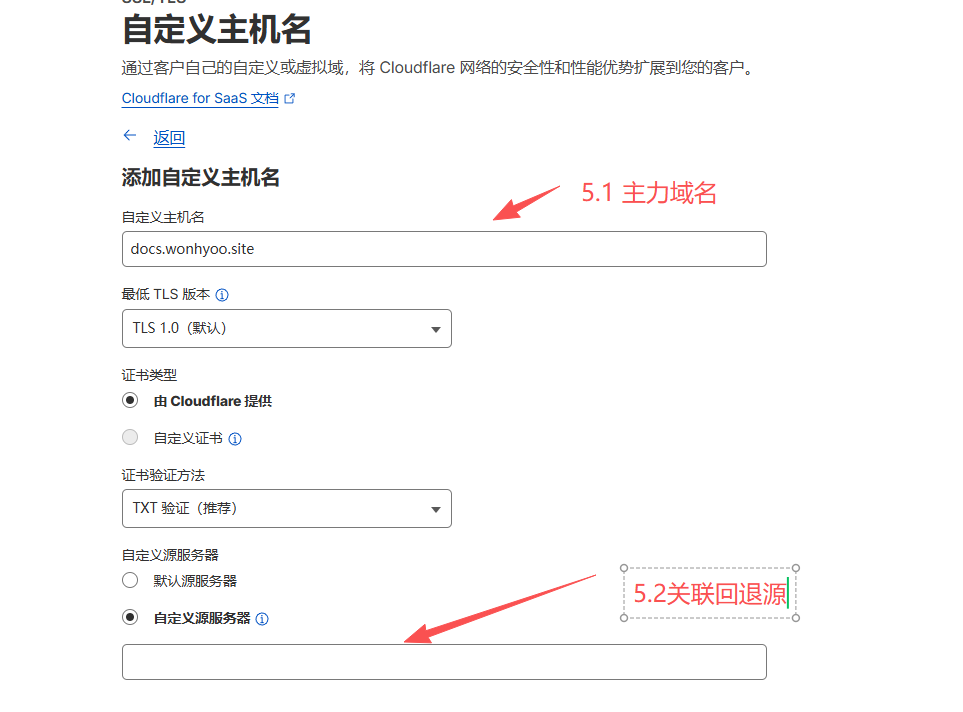
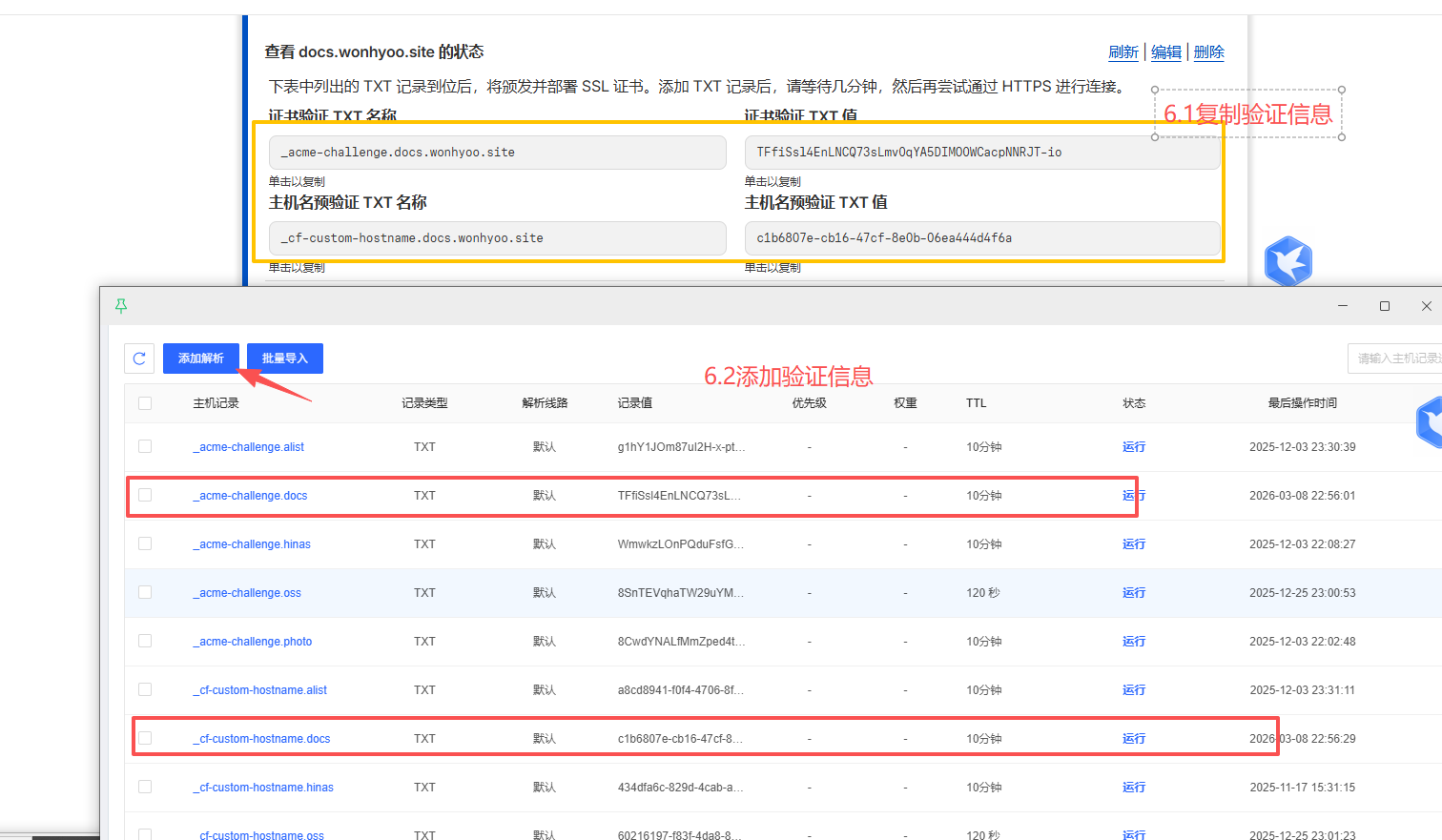
主题
cloudfare加速
修订记录
| 时间 | 内容 | 修订人 |
|---|---|---|
| 2026-03-07 | 创建 | 胡英万 |
流程原理图
mermaid
%%{init: {'theme': 'base', 'themeVariables': {'fontSize': '12px'}, 'flowchart': {'nodeSpacing': 30, 'rankSpacing': 30}}}%%
flowchart TD
    A[用户访问<br>docs.wonhyoo.site] --> B[国内DNS解析<br>docs.wonhyoo.site<br>CNAME -> 优选域名]
    B --> C["Cloudflare 优选节点<br>(如 cloudflare.182682.xyz 的IP)"]
    C --> D{Cloudflare 检查<br>自定义主机名配置}
    D -->|匹配到 docs.wonhyoo.site| E[回退源配置<br>fallback.wonhyoo.asia]
    E --> F[回退源DNS<br>fallback.wonhyoo.asia<br>A记录 -> 你的服务器IP]
    F --> G[你的服务器<br>提供真正的网站内容]

    style A fill:#e1f5fe
    style B fill:#fff3e0
    style C fill:#c8e6c9
    style D fill:#ffecb3
    style E fill:#f8bbd0
    style F fill:#f8bbd0
style G fill:#d1c4e9一、环境准备
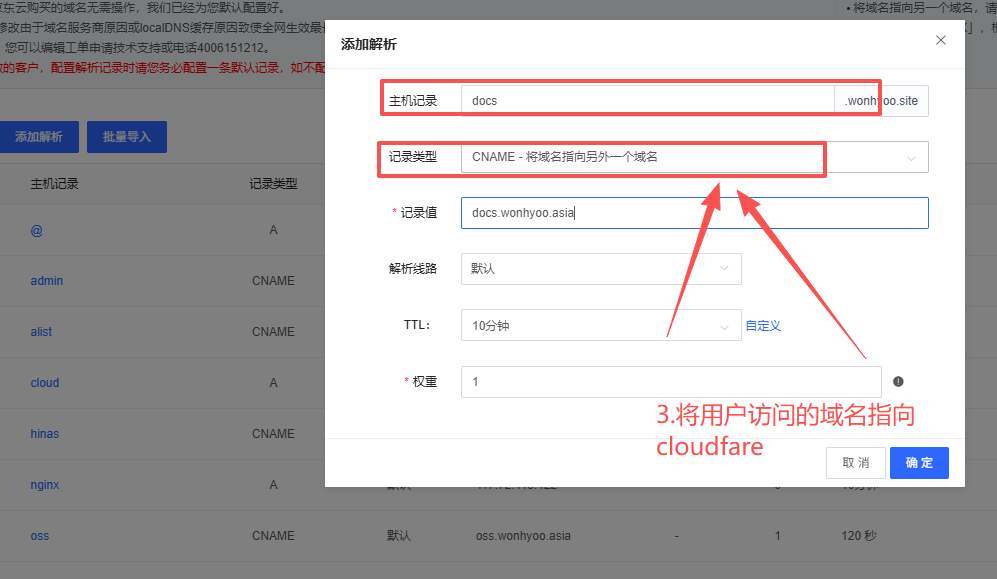
- ①主力域名(任意平台,用于用户访问), 如:wonhyoo.site
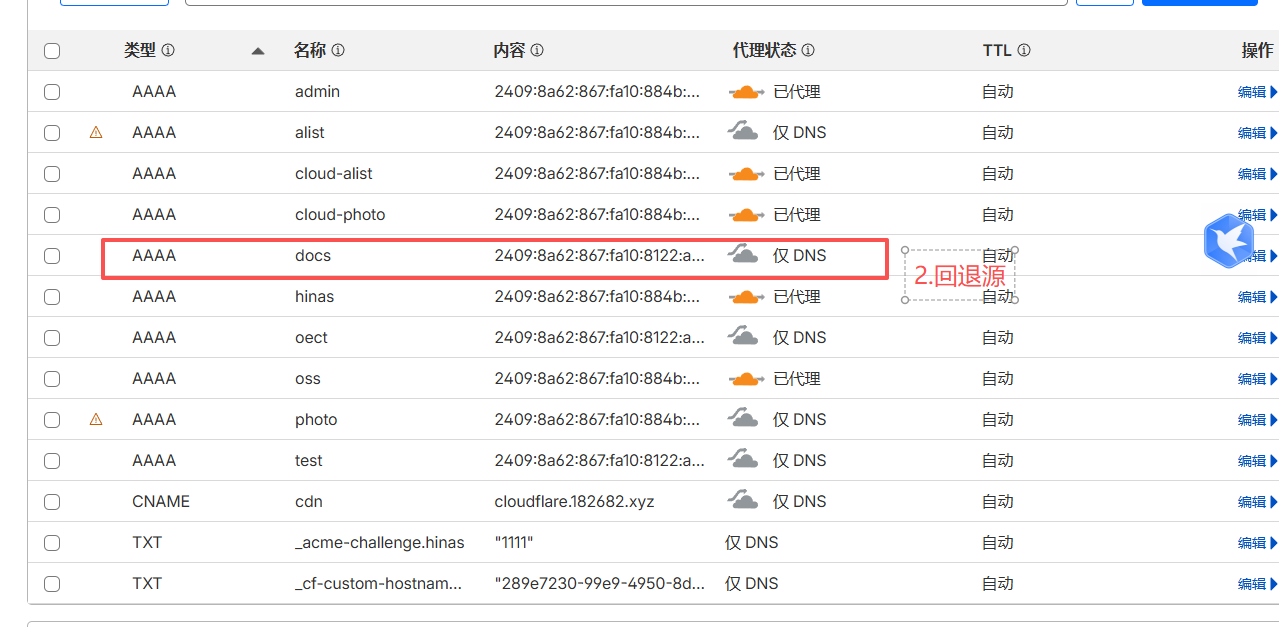
- ②回退域名(需要托管到cloudfare), 如:wonhyoo.asia
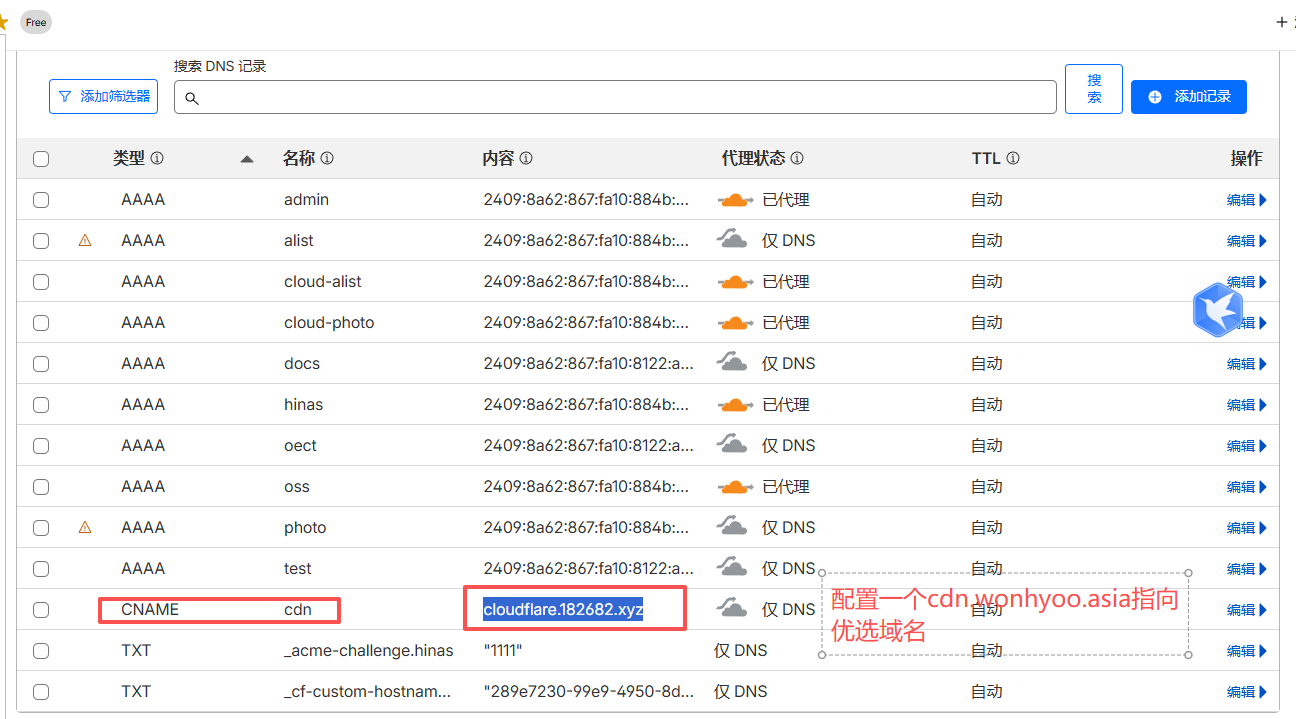
- ③配置cloudfare的优选域名:
shell
一句话原理:用户访问 docs.wonhyoo.site → DNS解析到优选域名(如 cloudflare.182682.xyz)的IP → Cloudflare节点
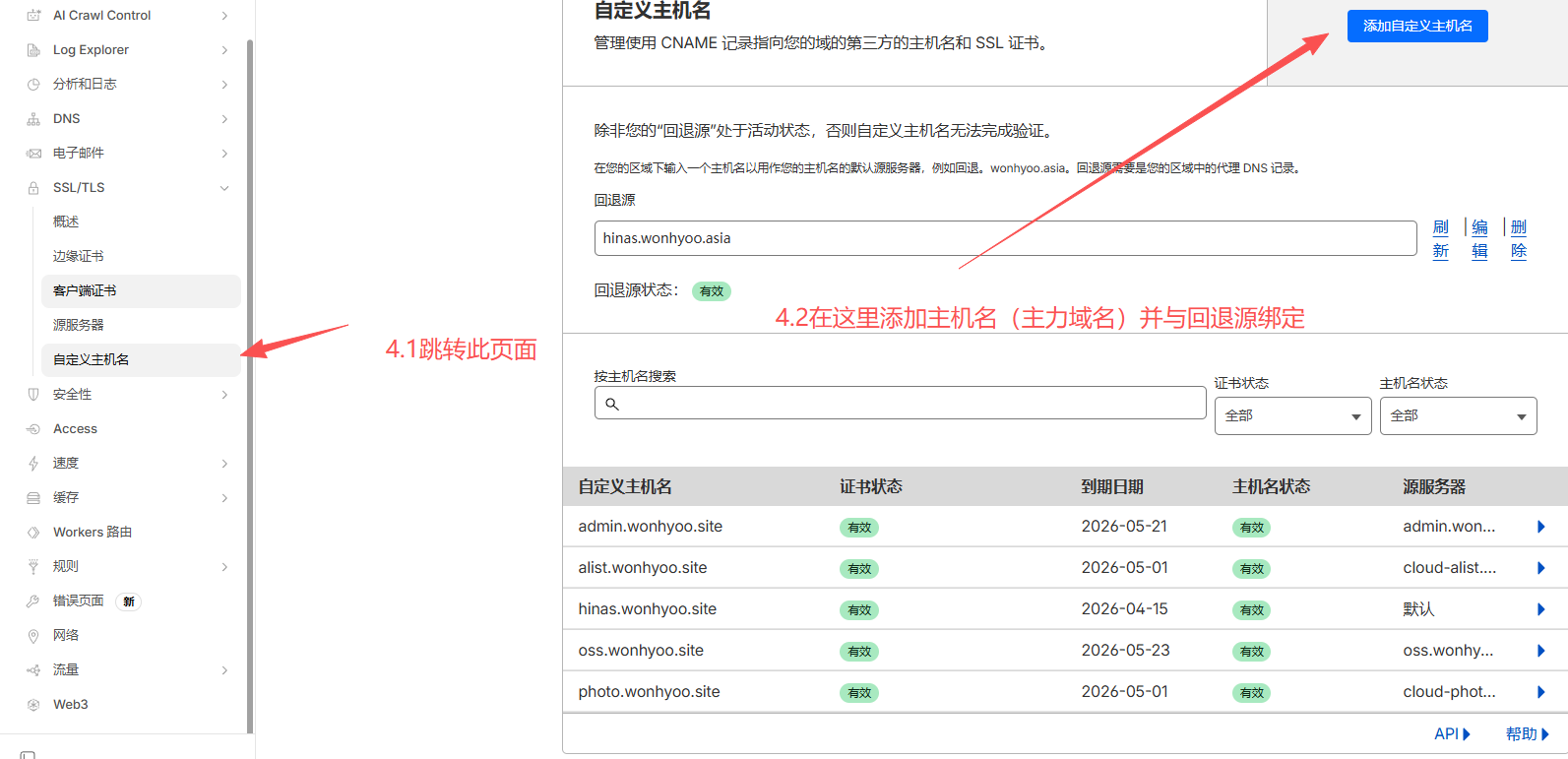
收到请求后,查找自定义主机名配置 → 发现 docs.wonhyoo.site 关联到回退源 fallback.wonhyoo.asia →
通过Cloudflare内部网络向 fallback.wonhyoo.asia 获取内容 → 返回给用户。二、配置相关内容